Live chat for WordPress communities
Chat for your community. Not a sales bot.
WOC Messenger adds a chat bar to your site where members and guests can see who’s online, message each other in private and share photos. None of it loads until someone clicks Chat, so your pages stay as quick as they are now.
Plans from £9.99 a month. Works with any WordPress theme.
01
Loads when clicked
Your pages load with a small Chat button and nothing else. The messenger only connects when someone opens it.
02
Guests just pick a name
No sign-up and no email. Visitors type a name and they’re in. Logged-in members are signed in for them.
03
Kept off your database
Messages run through our chat server, not your WordPress database, so a busy room doesn’t drag your site down.
Everything people expect from a chat room.
Your visitors already know how to use it, because it works the way chat should.
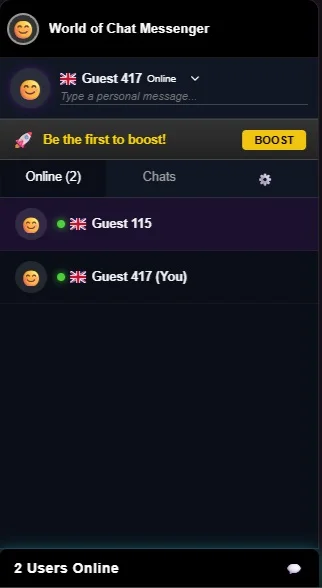
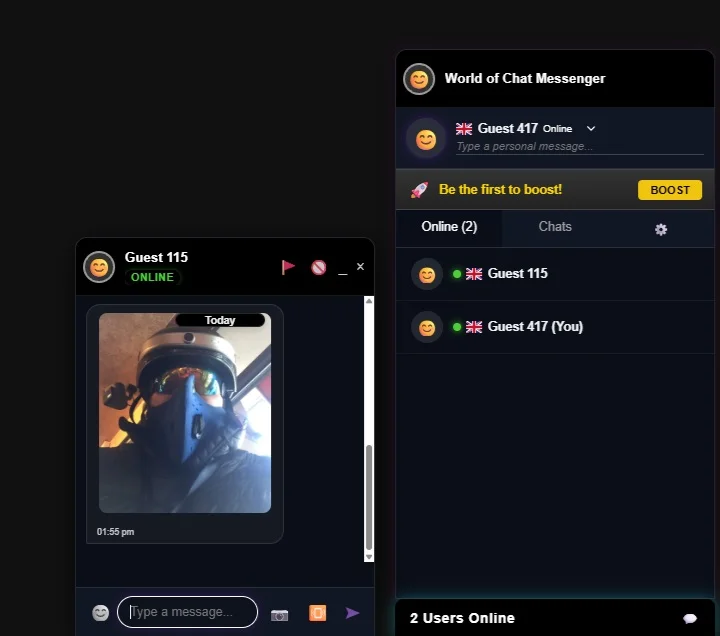
- Who’s online. A live list with country flags and a personal status line.
- Private chats. One-to-one conversations, each in its own window.
- Photos and emoji. Share a picture straight from the chat box.
- Picks up where they left off. The Chats tab keeps every conversation together.
- Made for phones too. On mobile it opens as a full-screen drawer.
Moderation
Trolls are part of running a chat room. Dealing with them shouldn’t be hard.
Every chat window has a report button, and anyone can block someone they don’t want to hear from. From your dashboard you can:
- See reports as they come in
- Ban by username or by IP address
- Read the conversation behind a report before you act
Community Boosts
Let your regulars chip in.
A busy room costs money to run. Boosts let members top up the room’s message allowance themselves, so you’re not paying for every conversation. Whoever boosts gets their name on the banner as a thank-you.
Chat boosted by Sam example banner
Set up in a couple of minutes.
No developer needed. If you can install a WordPress plugin, you can add chat.
On WordPress
- Download the plugin ZIP.
- In WordPress, go to Plugins, Add New, Upload Plugin.
- Activate it. The Chat button appears on your site straight away.
Open chat from your own buttons
Add the
open-chat
class to any button or menu link and it opens the messenger.
<a href="#" class="open-chat">Chat now</a>Pricing
No limit on how many people chat at once. Plans differ by monthly messages. Change plan or cancel from your account whenever you like.
Business
£19.99 / month
For busy forums and membership sites. 30,000 messages a month, plus Community Boosts and your own colours.
Enterprise
£49.99 / month
For big sites and events. 100,000 messages a month, white-labelling and help getting set up.
Built by people who run a chat site.
We’ve run worldofchat.co.uk for over 20 years. Every chat plugin we tried either slowed the site down or was really a sales tool pretending to be chat.
So we built our own, and it runs on World of Chat every day. If something annoys our users, we hear about it first.
Questions people ask
Will it slow my site down?
Not on page load. Only the Chat button loads with the page. The rest connects when someone clicks it.
Do people need an account?
No. Guests pick a name and chat. Members who are logged in to your site are signed in automatically.
Will it clash with my theme?
The messenger keeps its styles separate from your theme, so neither breaks the other.
Why does chat pause when I switch tabs?
Browsers put background tabs to sleep to save battery. The messenger reconnects as soon as you come back.
Give your visitors somewhere to talk.
Pick a plan, install the plugin and see how your community uses it.